What is a Christmas Lights Vector and Why It Matters
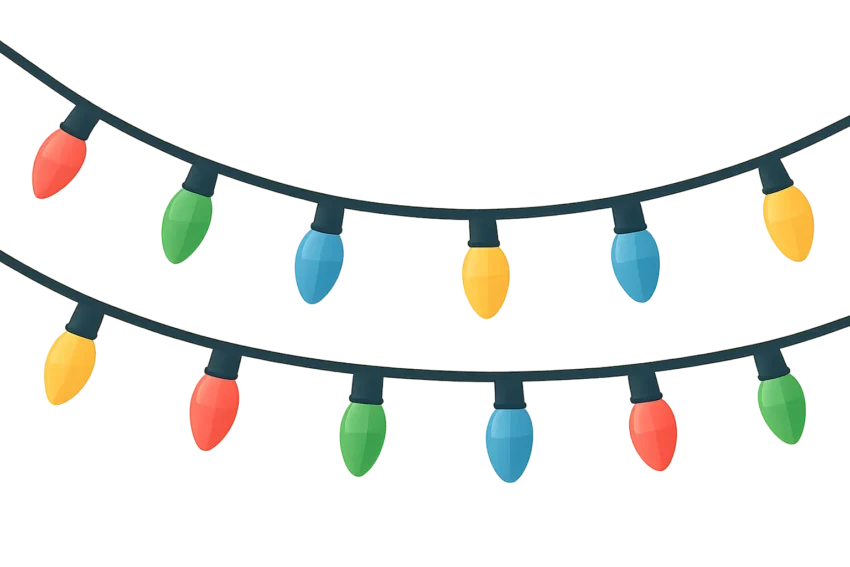
The term Christmas lights vector refers to scalable, editable graphic representations of string lights, bulbs, and related holiday motifs created as vector graphics. Unlike raster images, which are made of pixels, vector graphics use mathematical paths to describe shapes. This distinction makes a vector Christmas lights ideal for resizing without losing clarity, whether you are planning a greeting card, a website banner, a printable poster, or a DIY holiday craft project. When designers talk about a “Christmas lights vector,” they usually mean a file in a format like SVG (Scalable Vector Graphics) that can be opened and edited in vector editors such as Adobe Illustrator, Inkscape, CorelDRAW, or even directly in modern web browsers. A free SVG download of a Christmas lights vector makes it possible to experiment with color schemes, line weights, and bulb shapes without paying licensing fees or compromising quality.n
Free SVG Downloads: A Primer for Holiday Decor
During the holiday season, many artists and design shops share free SVG downloads of Christmas lights vector assets. These resources are particularly valuable for:
DIY enthusiasts crafting handmade gifts or decorations
Web developers building holiday-themed sites with scalable visuals
Print shops preparing banners, stickers, and apparel with crisp silhouettes
When you search for a Christmas lights vector that is labeled as “free,” it is important to check the licensing terms. Some assets are released under permissive licenses that allow personal and commercial use with minimal restrictions, while others require attribution, limit modifications, or prohibit redistribution. Look for phrases like Public Domain, Creative Commons licenses (for example CC BY or CC0), or explicit statements from the author about commercial usage. The phrase Free SVG Download for Holiday Decor often appears as a marketing hook, but you should always confirm the exact terms before using the asset in a project intended for distribution or sale.n
Common Variants of the Christmas Lights Vector
To cover broader design needs, designers often create a family of related Christmas lights vector assets. Here are some common variants you may encounter or want to seek out in a free SVG download library:
String Lights and Mini Bulbs
The classic string lights vector shows a cord with evenly spaced bulbs. Variants may include rounded bulbs, faceted shapes, or stylized filaments. This is the most versatile of all holiday lights vector assets because it can be used in banners, as a decorative border, or as a repeating pattern for wallpapers and wrapping paper.
Globe Bulbs and LED Strands
Another popular type is a globe bulbs vector or an LED strand vector with tiny internal filaments or glow effects. Such assets are particularly effective for modern, minimalist designs where the bulbs appear as simple shapes with bright halos. These assets lend themselves to color customization, glow effects, and animated previews in digital formats.
Decorative Shapes: Stars, Candy Canes, and More
While bulbs are the core, many christmas lights vector packs include decorative shapes like stars, candy canes, bells, holly leaves, or snowflakes integrated with string light elements. These additions broaden the use cases—from greeting cards to storefronts and apparel—without sacrificing the scalable advantages of the vector format.
Where to Find Free SVG Downloads for Holiday Decor
Finding reputable sources for free SVG downloads of Christmas lights vector assets is key to getting high-quality results. Here are some practical strategies and tips:
Visit established design communities and stock-free repositories that curate vectors under clear licenses.
Check the asset’s download page for license type, attribution requirements, and allowed use cases (personal, commercial, or both).
Look for bundles that combine multiple Christmas lights vector assets in a cohesive style to ensure consistency across a project.
Prefer SVG files that include viewBox attributes and are well-structured with grouped elements, which makes editing easier.
Avoid archives that contain raster previews (bitmaps) along with the vector files unless you specifically need a bitmap fallback.
In addition to dedicated design libraries, you may also find free SVG download options on official blogs of designers who want to showcase their style. When you evaluate sources, consider not just the asset but the accompanying metadata: a descriptive file name, a clean SVG structure, and a short documentation or readme that explains how to use the file in different contexts.
Understanding Licenses and Attribution for a Christmas Lights Vector
Licensing governs whether you can use a Christmas lights vector in personal projects, client work, or commercial products. Here are the main categories you’ll encounter:
Public Domain or CC0: The creator waives all rights, allowing unlimited use without attribution, modification, or distribution restrictions.
Creative Commons (CC) Licenses with attribution (e.g., CC BY): You can use the asset commercially and modify it, but you must credit the author.
Non-derivative or attribution-required licenses (e.g., CC BY-ND): You can use the asset, but you cannot modify it; attribution is usually required.
Commercial licenses from marketplaces: Some websites offer free items with commercial-use allowances, while others require a paid license for commercial use.
Custom licenses from individual creators: Always read the terms, as they can vary widely, sometimes including exclusive rights or time-limited permissions.
Key best practices when using a free SVG download of a Christmas lights vector include keeping a copy of the license terms, maintaining any author attribution if required, and ensuring your project remains within the license scope (personal, commercial, or redistribution constraints). If you plan to redistribute the asset as part of a product, verify whether derivative works are allowed and whether you can claim ownership of the modified file. When in doubt, contact the author or choose assets with licensing clearly stated for commercial use.
How to Use a Free Christmas Lights Vector in Projects
Using a Christmas lights vector in a project is straightforward, but the approach differs slightly depending on whether you work with web content, print, or physical products. Here are practical steps for common use cases:
Web and Digital Projects
Download the SVG file from a trusted source and inspect its structure in a vector editor to understand how it is grouped and layered.
Decide whether to embed inline SVG in HTML, reference the file via an img tag, or load it with a JavaScript framework for animation.
Consider editing the color palette to align with your brand or seasonal theme. Since SVG uses vector shapes, you can replace fills and strokes without losing quality.
Optimize the file by simplifying paths, removing unused elements, and reducing the number of gradients or filters that may slow rendering on slower devices.
Test accessibility: add title and desc elements inside the SVG, or provide accessible text alternatives nearby in your HTML.
Print and Wayfinding Materials
Use a color profile appropriate for print (CMYK) or export a high-resolution raster as needed, while preserving the vector file for future edits.
Ensure stroke widths and shapes scale cleanly when printed at large sizes; test with a proof to verify legibility.
Save as an accessible vector file in formats such as SVG or PDF, depending on the printing workflow. Maintain separate layers for bulbs, wires, and decorations for easy edits by a designer or printer.
Mind the bleed and margins in print layouts, particularly when using Christmas lights vector borders or repeating patterns.
DIY and Craft Projects
For crafts like vinyl decals or sewing projects, SVG files often serve as the basis for cut files. When using a free SVG download, ensure the asset’s structure is compatible with your cutting machine (Cricut, Silhouette, or similar) by verifying common file compatibility such as grouped paths and clean anchor points.
Design Tips for Using Christmas Lights Vector Graphics
To maximize the impact of a Christmas lights vector in your creative work, consider these practical design tips. These guidelines help you achieve a professional, cohesive look that remains festive without feeling crowded.
Color Palettes and Theme Variations
Choose a color palette that suits the project context. Some popular palettes include:
Traditional red, green, and warm white for classic holiday vibes
Cool blues and icy whites for winter wonderland themes
Multicolor palettes with saturated bulbs for a playful, festive look
Monochrome or gold/silver accents for elegant, upscale designs
Since SVG supports precise color control, you can experiment with fills, strokes, and gradients to create nuanced lighting effects. For a tactile feel, consider using subtle gradients or soft shadows that simulate glow around bulbs. If you aim for modern minimalism, a flat-color approach with bold outlines can be just as compelling.
Typography and Composition
When combining a Christmas lights vector with text or other graphic elements, maintain balance by considering scale, whitespace, and alignment. A common strategy is to place a string of lights along the top or bottom edge of a layout as a decorative border or to wrap around a circular emblem. Keeping the light strings parallel to the page margins helps create a sense of rhythm, while varying bulb shapes can add focal interest.
Depth in vector compositions can be achieved by layering bulbs with varying opacity, adding subtle inner highlights, or using a gentle glow around bulbs. However, use glow effects sparingly in web contexts to avoid rendering slowdowns on low-powered devices. For print, you can use richer gradients and interior shading to imply three-dimensional bulbs more convincingly.
Accessibility and Inclusivity
Color alone should not convey essential information. When a Christmas lights vector serves as an indicator or decorative cue, pair it with accessible descriptions or textures that convey meaning even for readers with color vision deficiencies. Embedding aria-label attributes in inline SVGs and providing title and desc elements helps assistive technologies interpret the graphic correctly.
Technical Considerations: Editing, Exporting, and Performance
A well-made Christmas lights vector asset is not just pretty—it’s robust to editing and efficient to render. Here are important technical considerations to keep in mind when working with a free SVG download.
A well-organized SVG typically uses groups (), meaningful class names, and consistent layering. Clear naming helps you identify bulbs, wires, and decorative elements quickly when you later modify the file or apply CSS styling in a web project.
ViewBox and Responsiveness
Ensure the asset has a defined viewBox attribute and scalable geometry. A properly defined viewBox makes the SVG responsive and allows it to scale cleanly across devices and print sizes. When embedding inline, you can control size through CSS or HTML attributes without compromising the vector’s integrity.
Optimization for Web
Optimizing an SVG file improves loading times and reduces bandwidth. Techniques include:
Removing redundant metadata and comments
Flattening excessive gradients into solid colors where possible
Combining multiple small shapes into reusable symbol definitions or CSS classes
Inlining only essential paths and eliminating unused features
Many editors offer “Save for Web” or “Optimize SVG” features. After optimization, test the file across browsers and devices to ensure no render issues arise.
Color Management
SVG supports both fill and stroke colors, as well as opacity and gradient definitions. When you edit a Christmas lights vector, consider maintaining a separate color palette file or CSS variables if you plan to reuse the same asset in multiple projects. This approach makes updates painless and consistent.
For designers who frequently work with holiday motifs, creating a small library of Christmas lights vector assets with interchangeable bulbs and strings can speed up production. You can use symbols or CSS variables to automate color swaps, thereby maintaining a cohesive brand style across many pieces of content.
Embedding or Integrating a Christmas Lights Vector in Web Projects
Web integration options vary depending on your project’s requirements for interactivity, performance, and accessibility. Here are common strategies for integrating a Christmas lights vector: inline SVG, img elements, and embedded SVG via object or iframe tags. Each method has its own pros and cons for styling, animation, and accessibility.
Inline SVG
Inline SVG embeds the vector directly within the HTML document. This approach provides maximum styling and animation control through CSS and JavaScript. Example:
Decorative string of colored bulbs
This method is highly flexible for dynamic themes, color swaps, and animations driven by CSS or JS. However, it can increase HTML size for large assets, so for very large graphics you might prefer external references.
Using the img Tag
The simplest method is to reference an external SVG file via the img tag. This keeps HTML clean but limits direct CSS manipulation of the internal elements. Example:
Tip: If you need color customization, consider providing multiple color variants of the SVG or offer a separate stylesheet that targets the embedded SVG when using inline SVG.
Embedding with object or iframe
Using object or iframe allows you to keep the SVG separate while still manipulating it via CSS or JS in some contexts. This approach can help isolate the SVG file from the main document, which is useful for complex assets or third-party components.
Practical Use Cases and Creative Ideas
Here are several real-world scenarios where a Christmas lights vector asset shines. Each use case benefits from the scalability and editability of vector graphics, and each can exploit a free SVG download when licensing permits.
Seasonal website branding: Use a subtle string of bulbs along page borders or as a header embellishment that scales cleanly on mobile and desktop.
Print marketing: Create posters, flyers, or banners featuring a decorative string of lights that remains crisp when printed at large sizes.
Social media assets: Produce animated or static posts with a consistent light motif that adapts to different aspect ratios.
Merchandise templates: Design t-shirt prints, stickers, or enamel pins with a cohesive light strand motif that can be recolored easily.
Home decor and craft projects: Cut vinyl or fabric with vector light strings using cutting machines or embroidery software.
Colorizing and Customizing a Christmas Lights Vector
One of the prime advantages of a Christmas lights vector is the ease with which color variations can be produced. Here are practical methods to customize colors while preserving the file’s integrity:
Color swatches: Swap bulb fills from a shared color palette without altering path shapes
Stroke adjustments: Change the wire color or thickness to match different design contexts
Layered editing: Group bulbs by color or shade for batch edits
Glow and bloom: Apply subtle glow effects in CSS or in the vector editor, while keeping performance considerations in mind for web use
The Value of a Free SVG Download for Holiday Decor
Using a free SVG download of a Christmas lights vector can deliver several benefits for a wide audience. Designers save time, clients gain access to scalable assets that look sharp on any screen or print medium, and hobbyists can craft personalized decor with professional polish. When you combine a high-quality SVG with thoughtful license terms, you empower a broad ecosystem of projects—from family cards to storefront signage and beyond.
Common Mistakes to Avoid with Christmas Lights Vector Files
Even experienced designers encounter pitfalls when working with free SVG downloads. Here are frequent missteps and how to avoid them:
Ignoring licenses: Always verify that the asset’s license covers the intended use, especially for commercial projects.
Overly complex assets: Some free vectors include extremely detailed elements that may bloat the file size or render slowly in browsers. Simplify where possible.
Inconsistent styling: If you combine multiple free resources, ensure consistent stroke widths, bulb shapes, and color treatments to maintain a cohesive look.
Poor accessibility: Don’t assume color alone conveys meaning. Add textual descriptions or accessible labels when embedding into web content.
Neglecting optimization: For web use, optimize the SVG to reduce file size; for print, ensure the file preserves vector data and color fidelity.
Workflow: From Concept to Final Asset
For designers who want a repeatable workflow when working with a Christmas lights vector, here is a practical pipeline:
Define the project scope and required color palette
Source a reputable free SVG download of a Christmas lights vector that matches the style you want
Open the SVG in a vector editor to review structure and grouping
Customize colors and wire thickness as needed
Test across devices and print proofs to ensure legibility and quality
Export in the appropriate formats for web and print (SVG for web, PDF or EPS for print)
Document licensing and usage terms for future reference
Accessibility and Semantic Quality of Christmas Lights Vector Assets
Beyond aesthetics, accessibility and semantic quality are essential for inclusive use of a Christmas lights vector. Consider the following practices:
Embed title and desc elements within inline SVGs to provide screen readers with context
Use descriptive aria-label attributes when necessary
Offer alternative versions of the asset with sufficient color contrast for users with visual impairments
Avoid using color as the sole indicator of meaning; pair color-coded elements with textual cues or patterns
Conclusion: The Practical Promise of a Christmas Lights Vector for Holiday Decor
In the realm of holiday graphics, a well-crafted Christmas lights vector stands out for its versatility, scalability, and potential for creative expression. A well-curated free SVG download can serve as a reliable starting point for any project—whether you are designing a digital greeting, preparing a storefront display, or crafting a seasonal textile print. By understanding the nature of vector graphics, respecting license terms, and applying thoughtful design and optimization practices, you can illuminate a wide range of creative avenues with efficiency and style.
Additional Resources and Next Steps
If you are exploring this topic further, here are practical next steps to build a robust library of Christmas lights vector assets for future projects:
Create a personal or organizational SVG asset library with consistently styled pieces, including string lights of varying densities and colors
Curate assets by theme (traditional, modern, whimsical) to make it easier to select the right asset for a given project
Maintain a simple license catalog with quick notes on attribution, commercial use, and redistribution rights
Combine vector assets with CSS-driven color schemes to enable rapid theme changes without editing the graphics themselves
Whether you are a professional designer, a teacher, a maker, or a hobbyist, the combination of free SVG downloads and the flexibility of a Christmas lights vector offers a powerful toolkit for holiday creativity. As the festive season approaches, you can leverage these assets to craft memorable visuals that shine across screens and pages alike, all while maintaining control over quality, accessibility, and licensing.