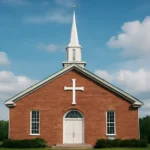
Church Websites: How to Build a Fast, Accessible, and Engaging Site
In a world where a church’s first impression often happens online, a robust web presence is essential. A well-constructed church website—whether you call it a parish site, a ministry portal, a fellowship site, or a worship site—serves as a digital hub for information, connection, and generosity. This guide explains how to build a fast, accessible, and engaging site that serves your congregation and your community. You’ll learn about technical foundations, content strategy, design, security, and ongoing governance, with practical checklists and considerations for various flavors of ecclesiastical web presence.
Plan before you build: goals, audience, and branding
A successful church or faith-based site starts with clarity. Before you touch a line of code or pick a template, define who you serve, what you want to achieve, and how your brand will be expressed online. This planning phase helps your site architecture, content plan, and feature set align with ministry priorities.
Audience and goals
Start with audience personas and measurable goals. Common groups include regular attendees, visitors, youth and families, volunteers, donors, and those seeking prayer or guidance. Consider goals such as:
Providing clear worship schedules and direction for visitors
Offering on‑demand sermons and study materials
Facilitating online giving and fundraising
Encouraging volunteer involvement and event signups
Delivering timely prayer requests and pastoral care resources
Branding and consistency
Define a simple branding system that can scale. This includes a color palette, a handful of typefaces, and a small set of page templates. Even a modest brand system helps your church web presence feel cohesive, trustworthy, and welcoming across devices.
Content strategy basics
Plan content around three core pillars: worship, learning, and community. Within each pillar, map pages and content types, such as sermons, event calendars, devotionals, testimonials, and volunteer opportunities. Create an editorial calendar and assign responsibilities so content is updated regularly.
Performance and speed: delivering a fast experience
Today’s users expect fast pages. A slow church website drives visitors away and hurts engagement. Performance isn’t only about speed; it also affects accessibility, search ranking, and user satisfaction. Here are practical ways to optimize for speed and reliability.
Hosting, caching, and delivery
Choose reliable hosting with good uptime and scalable resources.
Implement caching at multiple layers (browser, page, and edge) to reduce server load.
Use a Content Delivery Network (CDN) to serve static assets close to users, especially for remote or international visitors.
Asset optimization
Compress images without compromising readability; prefer next‑gen formats like WebP where supported.
Minify CSS and JavaScript; bundle only what’s needed for the initial render.
Lazy-load off‑screen images and heavy media to keep the initial content fast.
Code quality and architecture
Adopt a lean tech stack with clear separation of concerns between content and presentation.
Apply performance budgets for assets and page sizes to keep projects within targets.
Prefer progressive enhancement so core content remains accessible even on slower networks.
Accessibility and inclusivity: building for everyone
Accessibility is not only a legal obligation for many institutions; it is a core component of mission‑driven ministry. An accessible church website ensures that all people can find information, participate in worship, and engage with your community.
Follow WCAG guidelines and aim for at least WCAG 2.1 AA success criteria where possible.
Ensure keyboard operability for all navigation and interactive elements.
Provide text alternatives (alt text) for images and meaningful captions for media.
Practical accessibility considerations
Use high‑contrast color combinations for text and backgrounds.
Make forms accessible with labeled fields, clear error messages, and logical focus order.
Offer transcripts for audio and captions for all video content.
Inclusive content creation
Write clear, plain language and avoid unnecessary jargon.
Include diverse voices and perspectives in the content you publish.
Provide alternative ways to engage, such as print‑friendly pages or downloadable PDFs.
Content strategy and site architecture
A well‑structured site makes it easy for visitors to find worship times, sermons, and ways to connect. Plan a logical hierarchy and ensure that every page has a clear purpose and a path to action.
Core pages and content types
Home page with clear gateways to worship times, upcoming events, and latest sermons.
About and mission pages that convey your church’s identity and values.
Sermons or sermon library with transcripts and searchability.
Calendar for worship services, classes, and community events.
Giving and donor portal with secure donation options.
Ministries pages that describe different groups (youth, seniors, outreach, etc.).
Events listings with RSVP or ticketing if applicable.
Prayer requests or pastoral care resources.
Contact information and a practical visitor guide for newcomers.
Navigation and search strategy
Keep navigation intuitive with a clear top menu and a predictable, shallow depth (no more than three clicks to core content).
Include a robust site search with filters for sermons, events, and ministries.
Use consistent labeling and avoid synonyms that confuse visitors (e.g., choose either sermons or teachings and use it everywhere).
Content governance and workflows
Define roles (editor, publisher, administrator, webmaster) and a clear approval process.
Archive older content to keep the site fast and relevant while preserving history.
Design and user experience: readability, aesthetics, and flow
Design isn’t only about looking good; it’s about guiding visitors to the information and actions that matter. A thoughtful design helps both new visitors and long‑time members feel confident engaging with your church’s web presence.
Typography, color, and readability
Choose legible fonts with sufficient contrast and ample line height for longer reads.
Establish a simple, restrained color palette that aligns with your branding and remains accessible.
Use clear headings and visual hierarchy to separate sections and improve scanning.
Layout and responsive design
Design for mobile-first, ensuring touch targets are large enough and navigation remains usable on small screens.
Maintain consistency across devices so a visitor recognizes your church web presence whether on phone, tablet, or desktop.
Place key information (service times, contact options, directions) in consistent, prominent positions on every page.
Imagery and media strategy
Use authentic photography that reflects your community and minimizes clichés.
Provide alt text for images and captions where appropriate to improve accessibility.
Offer media in multiple formats (audio, video, transcripts) to accommodate diverse preferences.
Technical architecture and platform choices
Choosing the right platform and hosting approach influences speed, security, and maintenance effort. Different churches and parishes may opt for different paths depending on budget, in‑house expertise, and future plans.
Content management systems and delivery models
Traditional CMS (e.g., WordPress, Joomla) for flexibility and a large ecosystem of plugins. Best for sites with ongoing content management by volunteers or staff.
Craft or other modern CMS for more structured content and stronger control over content modeling.
Headless CMS paired with a static or dynamic frontend for speed and scalability, though it may require more development resources.
Static site generators (e.g., Hugo, Eleventy) for blazing speed and simple hosting, better for small to mid‑sized sites with static content and periodic updates.
Choose hosting with uptime guarantees, regular backups, and strong security practices.
Implement HTTPS across the site and enforce secure handling of form data and payments.
Set up a simple, repeatable deployment process to reduce human error and keep content up to date.
Integrations and extensibility
Integrate with donation platforms securely and transparently.
Connect with calendar and event tools to avoid duplicate information across channels.
Provide an API or webhook framework for ministries to publish content to partner apps or portals if needed.
SEO, discoverability, and local presence
Search engine visibility helps visitors find your church online, whether they’re looking for service times, sermons, or community programs. A thoughtful SEO approach improves your discoverability and supports your mission outreach.
Site structure, metadata, and schema
Use a logical URL structure and consistent metadata (title, description) across pages.
Implement schema.org markup for events, sermons, and Organization to improve rich results.
Provide a clear sitemap and update it when major sections change.
Local SEO and community signals
Claim and optimize your Google Business Profile, including service times, address, and photos.
Encourage trusted local reviews and testimonials relevant to your church’s programs and services.
Ensure NAP consistency (Name, Address, Phone) across directories and your site.
Engagement features: connecting people to community and worship
A church website should be more than an information hub; it should invite participation, support, and connection. Thoughtful features can convert passive visitors into engaged members.
Streaming, media, and learning
Offer live streaming of services with accessible controls and chat moderation for community interaction.
Publish on‑demand sermons and study materials with searchable transcripts and chapters.
Provide a media library with filters for date, series, or speaker to aid discovery.
Giving, stewardship, and donor engagement
Provide a secure online giving portal with multiple payment options and receipts.
Offer recurring giving and easy management of donations for ongoing support.
Share impact stories and transparency around budgets to reinforce trust.
Events, volunteers, and communities
Maintain an up‑to‑date events calendar with RSVP, reminders, and accessibility notes.
Enable volunteer signups and team rosters with appropriate permissions.
Host a secure prayer wall or moderated space for prayer requests and pastoral care connections.
Privacy, security, and compliance
Handling personal information with care is essential for any church or faith community. You’ll collect data through forms, donations, registrations, and communications. A responsible approach to privacy and security protects the congregation and builds trust.
Data protection and forms
Use secure forms with HTTPS, input validation, and proper data handling.
Minimize data collection to what is necessary and implement a clear data retention policy.
Educate staff and volunteers about phishing, social engineering, and safe data practices.
Backups and recovery
Maintain regular backups of content, media, and user data.
Test restore procedures to ensure you can recover quickly after an incident.
Compliance and consent
Be mindful of privacy laws and church‑specific compliance requirements in your region.
Provide clear consent mechanisms for collecting data, cookies, and third‑party integrations where applicable.
Maintenance, governance, and editorial discipline
A site that quietly grows stale loses trust. Establish ongoing governance to keep content fresh, accurate, and aligned with mission. This reduces last‑minute scramble and ensures a consistent user experience.
Editorial roles and workflows
Define roles: editors, contributors, designers, developers, and ministry leads.
Create approval workflows for new content and updates to avoid broken links or outdated information.
Schedule regular content audits to verify accuracy and relevance.
Run a quarterly security review and dependency updates for plugins or modules.
Review accessibility compliance on a semi‑annual basis and address any issues.
Refresh visuals and messaging seasonally to reflect liturgical calendars and community life.
Budgeting, timelines, and return on investment
Your church web project should be approached with a practical budget and a realistic timeline. The best investments balance initial setup, ongoing maintenance, and measurable impact on ministry outcomes.
Budget categories
Platform and hosting (initial setup and ongoing fees)
Content creation (copywriting, media production, translation if needed)
Design and development (one‑time or phased)
Accessibility and testing (tools and audits)
Security and backups (insurance against data loss and cyber threats)
Phased approach and milestones
Discovery and requirements gathering
Platform choice and information architecture
Design pass and content migration plan
Development, testing, and accessibility validation
Launch with a communications plan
Post‑launch optimization and governance setup
Measuring impact
Track visitor metrics (page views, time on site, bounce rate) to gauge engagement.
Assess search visibility and local search performance to measure discoverability.
Practical examples and variations for different church communities
Every congregation is unique, and your web presence should reflect your distinct culture and mission. Below are variations you might consider, illustrating how the same foundational principles apply across different ecclesial contexts.
Parish websites (traditional worship communities)
Prominent worship times and location details on every page.
A robust sermon archive with transcripts for study groups and families.
Strong emphasis on donations and capital campaigns with transparent reporting.
Ministry portals (youth, outreach, or education programs)
Dedicated sections for each ministry with clear participate‑and‑connect CTAs.
Volunteer rosters, signups, and resources tailored to volunteers’ needs.
Even a lightweight learning portal for classes or small groups with progress tracking.
Fellowship or multi‑site communities
Localized pages for each campus or region with a shared branding system.
Unified calendar and donation workflow with campus‑specific nuances.
Cross‑site communications and a single source of truth for sermons and news.
Urban churches and outreach ministries
Highlight outreach programs, service opportunities, and real‑world impact stories.
Integrations with community partners and event booking for large outreach events.
Implementation tips and a practical quick‑start checklist
If you’re starting from scratch or migrating an existing site, use the following actionable checklist to stay on track and avoid common pitfalls.
Quick-start checklist
Define three core goals for the site in plain language and align content to them.
Map the information architecture with a simple sitemap and a three‑tier hierarchy.
Choose a platform that matches your team’s capability and future needs.
Set a realistic launch plan with a content migration and QA window.
Put accessibility and privacy at the center of design decisions.
Plan for ongoing governance, including editorial roles and review cadence.
Conclusion: how to move forward with confidence
Building a fast, accessible, and engaging church website is a multidimensional task that touches technology, content, design, and community life. By planning before you build, prioritizing speed and accessibility, choosing a suitable platform, and establishing clear governance, you create a digital home that faithfully represents your faith community and strengthens your ministry. Whether you describe your online space as a parish portal, a ministry hub, or a faith community site, the principles are universal: clarity, trust, and invitation.
Take the next step by assembling a small planning group, selecting a pilot scope (e.g., the home page, sermons, and events), and setting a realistic timeline. As your church web presence grows, keep revisiting goals, metrics, and user feedback. A well‑maintained site isn’t just a repository of information; it’s a living invitation to participate in the life of your church and its mission in the world.