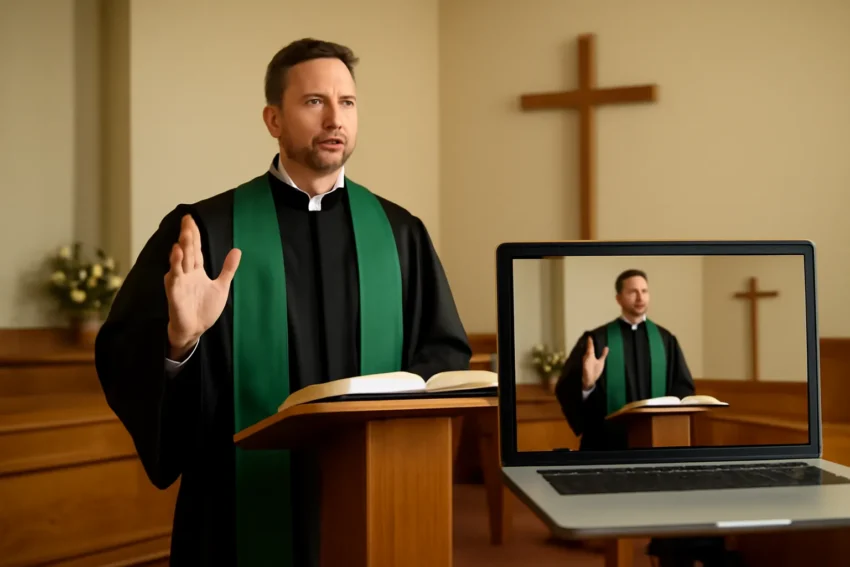
Church livestream has become a foundational part of modern ministry, enabling churches to reach people beyond the walls of the building. Whether you are a small, rural congregation or a distant, multi‑campus network, a well‑executed live streaming your church service plan can expand outreach, deepen engagement, and provide access to worship, teaching, and community for homebound members, college students, and global neighbors. This comprehensive guide walks you through the key decisions, practical steps, and best practices for implementing a robust streaming church service program that respects your church’s mission, budget, and technical capacity.
A church livestream is the real‑time transmission of worship services, sermons, prayers, and related church activities over the internet. It combines live video, synchronized audio, and often on‑screen graphics to create a virtual worship experience. Organizations use variations such as live streaming church services, church livestreaming, streaming church service, or church live streaming to describe the same core activity from different angles.
While the core goal is consistent in all cases, the implementation can differ. Some churches focus on a high‑quality, production‑level broadcast with a dedicated room, technical staff, and a switcher. Others prioritize a simple, reliable feed that can be produced by volunteers using a single camera and a laptop. The terminology you use matters less than clearly defining your audience, your streaming goals, and your capacity to deliver a stable, accessible experience.
Planning Your Church Livestream: Goals, Audience, and Liturgy
Before purchasing gear or configuring your network, articulate the purpose of your live church broadcast and how you will measure success. This planning phase should consider who you are serving, what content you will stream, and how you will handle participation.
Define your audience and reach
Existing members who attend in person but want a home option during illness, travel, or bad weather.
Absentees who cannot attend regularly but want to stay connected.
New visitors who discover your church online and consider visiting in person.
People in other time zones seeking worship materials or teachings.
Clarify the scope of content
Streaming the full weekend service, including music, prayer, and sermon.
Streaming only teaching sessions or small group meditations.
Supplementary content such as baptism services, weddings, funerals, or special events.
On‑demand videos for follow‑up, study guides, and discussion questions.
Define a run‑of‑show and rehearsal plan
Run of show: begin with greeting, music, announcements, sermon, response, and closing blessing.
Rehearsals: schedule dry runs to test audio levels, camera shots, and graphics; check internet stability.
Contingencies: plan for power outages, equipment failure, or platform outages, with fallback options.
Equipment and Setup: What You Need to Broadcast
The exact gear you choose should align with your goals, room layout, and budget. Think of this as a layered approach: core essentials for reliable streaming, enhancements for better quality, and add‑ons for interactivity and accessibility.
Core streaming kit
Camera(s): One or more cameras to capture the worship space. A single camera can work for small churches; multiple cameras provide dynamic angles for larger spaces.
Audio interface or mixer: A mixer that can feed the main church PA and the livestream. Clear vocal and instrument balance is essential.
Encoder: A device or software to convert the camera and audio inputs into a live stream. Options include dedicated hardware encoders or software solutions running on a computer.
Streaming computer or hardware with reliable processing power for encoding, graphics, and remote control.
Network equipment such as a wired Ethernet connection, a stable router, and basic network monitoring tools.
Monitors for operators to view audio meters, tally lights, and the live feed without disrupting the onstage performance.
Lighting to properly illuminate the worship space and improve camera exposure.
Graphics hardware or software to display lyrics, sermon notes, sermon series titles, and announcements.
Wireless lavalier mics for speakers moving around the platform.
Sliders or pedestal stands for camera mobility and better framing.
Recommended cabling and power planning
Use shielded XLR or TRS cables to minimize interference for audio feeds.
Label all cables and maintain a clean, organized tech rack to speed troubleshooting.
Maintain uninterruptible power supplies (UPS) for critical equipment to avoid abrupt shutdowns during audio or video faults.
Technical Considerations: Internet, Encoding, and Quality
A stable stream depends on more than just good cameras. Network reliability, encoding settings, and platform readiness all influence what your audience experiences. Below are key considerations to avoid common pitfalls.
Bandwidth and network design
Test your upstream bandwidth to ensure it can handle the chosen video bitrate without congestion.
Prefer a wired Ethernet connection over Wi‑Fi for the primary feed, with a separate network for control signals if possible.
Have a backup internet option (e.g., cellular bonded connection) in case the primary link drops.
Encoding settings and video quality
Choose an appropriate resolution and bitrate based on your audience and platform. Common starting points are 1080p at 6–8 Mbps or 720p at 3–4 Mbps for stable playback on many devices.
Enable a modest audio bitrate (e.g., 128–256 kbps stereo) to preserve clarity for vocals and instruments.
Record a local copy at a higher quality for archiving or post‑production edits, if bandwidth allows.
Platform compatibility and multi‑platform streaming
Many churches publish to YouTube Live, Facebook Live, and other destinations simultaneously via RTMP or platform‑specific integrations.
Using a multi‑destination encoder lets you push a single feed to several endpoints, reducing the risk of platform outages affecting everyone.
Platforms, Distribution, and Where to Publish
The choice of platform is often influenced by audience habits and church mission. Some congregations favor a single reliable channel, while others opt for a multi‑platform approach to maximize reach and discovery.
Popular streaming destinations
YouTube Live for broad reach, easy archiving, and searchability.
Facebook Live for community engagement and easy sharing within existing church groups.
Vimeo Livestream or similar services for higher quality control and professional features.
Dedicated church platforms such as Church Online Platform or custom portals for secure access.
Best practices for platform strategy
Use consistent branding across channels with uniform intros, lower thirds, and captions.
Provide a stable schedule so viewers know when to tune in and when to expect replays.
Test accessibility features on each platform, including captions and screen reader compatibility.
Production Workflow: Roles, Rehearsals, and Run‑of‑Show
A smooth livestream requires a disciplined workflow. Assign roles, create a schedule, and rehearse to anticipate issues before the congregation tunes in.
Key roles and responsibilities
Producer: oversees the overall flow, graphics, and timing; communicates with on‑stage staff.
Director: cues cameras, graphics, and on‑screen elements; handles the switcher if you use one.
Technical director (TD): operates the video switcher or streaming software and ensures smooth transitions.
Audio engineer: balances the mix, manages live effects, and ensures clear vocal and instrument levels.
Camera operators: frame the stage, switch shots with the director, and maintain consistent framing.
Assistants: handle lyrics projection, announcements, and any on‑screen text needs.
Pre‑service tech check: verify cameras, audio levels, and encoders.
Lyrics and slides synchronized with the music and sermon timetable.
Lighting cues and camera positions that avoid glare or backlighting.
Backup plans for on‑air problems, including a fallback camera angle or a still image in case of feed interruption.
Accessibility, Engagement, and Inclusivity
A thoughtful livestream respects diverse accessibility needs and creates spaces where people can engage meaningfully, regardless of physical ability or device. Accessibility enhances the reach of your online worship and invites greater participation.
Captions, transcripts, and readable content
Live captions or post‑render captions help viewers who are deaf or hard of hearing and benefit viewers in noisy environments.
Provide transcripts of sermons and prayers for study groups, note taking, and searchability.
Ensure on‑screen text is high‑contrast and easy to read on small screens.
Sign language and inclusivity
Consider a sign language interpreter on a side screen during key moments or provide dedicated broadcast channels for interpreted services.
Offer options to customize font sizes and color schemes where possible, especially in the on‑demand archive.
Time zones and scheduling for a global audience
Clearly display service times in multiple time zones or provide a countdown for upcoming streams.
Offer replays and on‑demand access for viewers who could not watch live due to time differences.
Security, Privacy, and Compliance
Streaming church content involves handling people’s data, music licenses, and religious practices with care. It is important to establish policies that protect both the ministry and the audience.
Privacy considerations
Obtain consent for recording attendees who participate on camera or in the audience, especially for multi‑site broadcasts.
Minimize data collection when possible and be transparent about how recordings will be used and stored.
Copyright and licensing
Respect music licensing requirements (BMI, ASCAP, SESAC) and obtain permissions for songs used in worship if necessary.
Use licensed or original music, or ensure the service complies with streaming platform policies and copyright law.
Platform safety and moderation
Moderate live chat if you enable it, with a plan for handling inappropriate comments.
Keep personally identifiable information (PII) out of on‑screen graphics and chat transcripts unless consent is given.
Archiving, On‑Demand, and Content Strategy
Beyond the live event, a well‑managed archive can become a long‑term ministry resource. Viewers may discover your church through search engines, and archived content provides ongoing teaching materials for small groups, families, and new visitors.
On‑demand hosting and discoverability
Publish sermons and worship sets as on‑demand videos with clear titles, show notes, and time stamps.
Organize content into series, playlists, and study guides to help visitors explore topics over time.
Repurposing content
Create short clips or highlight reels from the service for social media.
Extract teaching segments for devotional materials or children’s ministry resources.
Backup and retention policies
Store local backups of high‑resolution recordings and maintain a reasonable retention window in the cloud or on servers.
Establish a data management policy that covers retention, deletion, and access control.
Case Studies: Scenarios for Different Church Contexts
Real‑world examples help illustrate how different churches implement livestreaming church services. Here are two common scenarios and practical takeaways.
Scenario A: Small church, volunteer‑driven livestream
One or two cameras, a basic audio mixer, and a laptop running streaming software.
Volunteer production team with a simple run‑of‑show and rehearsals on a weekend basis.
Platform strategy focusing on one primary channel (e.g., YouTube Live) with occasional cross‑posting.
Scenario B: Large multi‑site church with a centralized production team
Multiple cameras at each site, a dedicated audio rack, and a centralized control room.
Professional graphics, lower third overlays, and multi‑site video distribution to multiple platforms.
Best Practices for Ongoing Growth and Sustainability
A successful livestream program is iterative. Gather feedback, track metrics, and refine your approach to meet your church’s long‑term mission.
Metrics and feedback
View counts, watch time, and engagement on each platform.
Qualitative feedback from attendees and volunteers about clarity, pacing, and accessibility.
Count of new visitors who engage after watching and how many return in person or online.
Training and capacity building
Offer regular training for camera operators, audio technicians, and control room volunteers.
Develop a rotating schedule so no single person bears all responsibility long term.
Continuous improvement ideas
Experiment with different shot compositions and lower thirds to improve clarity and emphasis.
Improve captioning quality and accessibility options; test automatic captions vs. human‑edited captions.
Enhance community engagement by enabling live questions, prayer requests, or poll features where appropriate.
Implementation Checklist: Getting from Planning to Go Live
Use this practical checklist to move from concept to a reliable, ongoing live broadcast of your church services.
Define purpose, audience, and success metrics for the streaming ministry.
Assess venue acoustics, lighting, and space to determine camera placement and audio needs.
Choose core equipment aligned with your goals and budget, and plan for future upgrades.
Set up a robust network plan with wired connectivity and a backup option.
Choose streaming destinations and configure multi‑destination publishing if needed.
Develop a run‑of‑show, assign roles, and schedule rehearsals with all participants.
Install and test audio routing, video capture, encoders, and graphics overlays.
Prepare accessibility features: captions, transcripts, and inclusive content design.
Publish a pre‑service checklist and a post‑service debrief process for continuous improvement.
Launch with a soft roll‑out, monitor performance, and iterate based on feedback.
Conclusion: Embracing the Future of Worship Through Streaming
A well‑planned and executed livestreaming in a church context offers more than a digital broadcast; it creates a bridge between the in‑person community and online participants. The goal is not merely to replicate a sanctuary experience in pixels, but to extend the church’s mission—sharing gospel, prayer, fellowship, and teaching—to a wider audience with clarity, dignity, and care. By focusing on thoughtful planning, reliable technical foundations, accessible design, and ongoing stewardship of resources, your church can sustain a high‑quality live stream of church services that honors the rituals of worship while meeting people where they are.
If you are starting from scratch, begin with a clear vision, build a minimal viable setup you can sustain with volunteers, and scale as your ministry grows. If you already stream, use this guide as a touchstone to audit your current operations, identify gaps, and pursue incremental improvements. In every scenario, the core aim remains the same: to share the good news, cultivate community, and invite participation—whether someone is watching in the church hall, at home, or on the move.
As you embark on church livestreaming, remember that technology serves people. The most important outcomes are worship that feels sincere, teaching that is clear, and a sense of fellowship that transcends screens. With careful planning, practical gear, and a posture of service, your streaming ministry can become a lasting instrument for spiritual connection and community enrichment.